Building with Signac
Signac is the AI assistant built into the Strategy Builder. It can answer questions about how the builder works, and it can build or change your strategy directly on the canvas. You stay in control. Every edit it makes is visible on the canvas, and you can undo it.
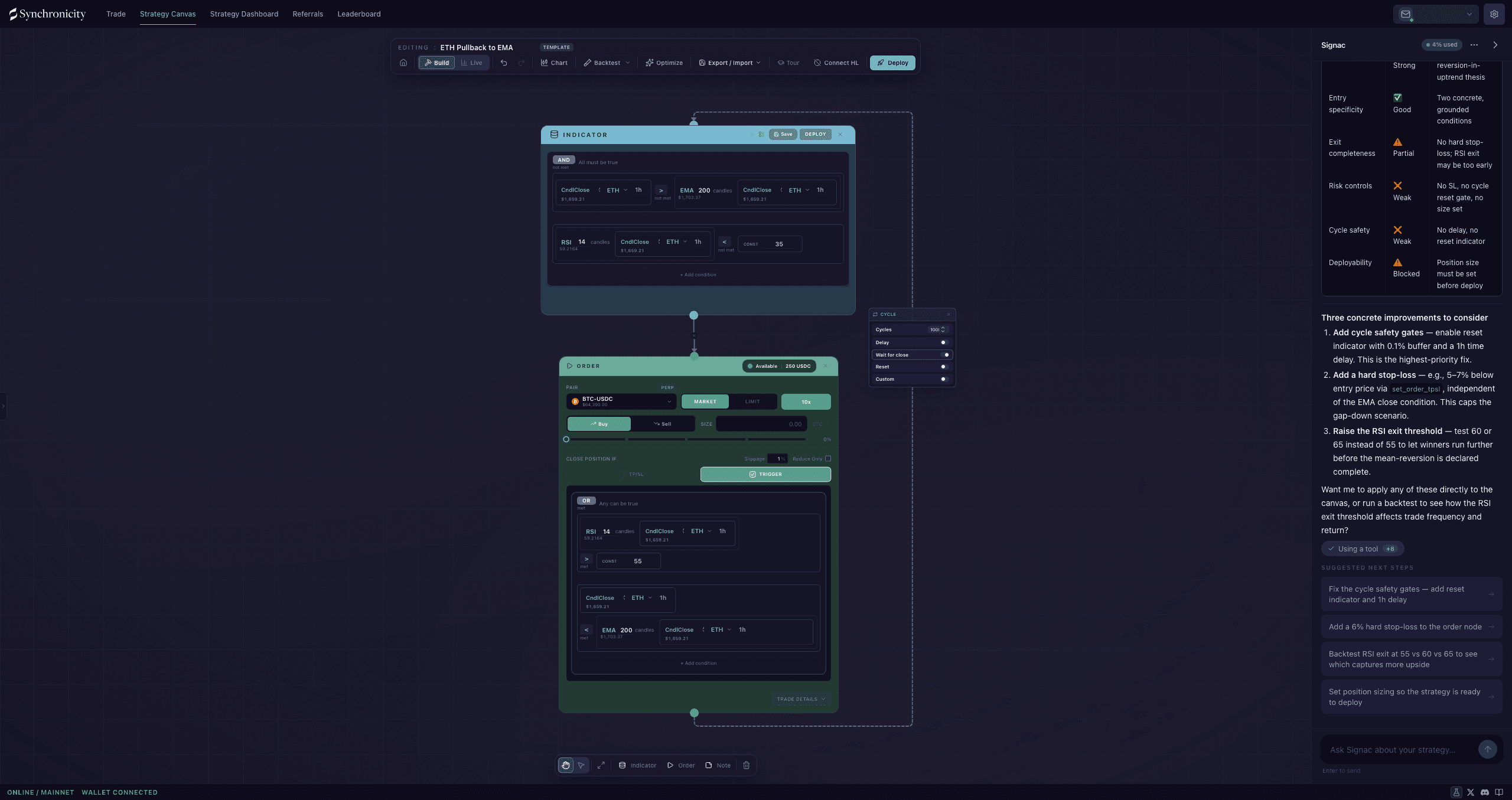
Signac reads the canvas and can suggest improvements, add nodes, or answer questions, while the strategy stays visible.
Opening Signac
Click Ask Signac on the strategy canvas to open the chat. The same Ask Signac label sits on the slim tab at the side of the screen when the panel is collapsed, and opens the same chat. If you have minimized the chat pane, a Strategize with Signac button brings it back. Signac is available on the canvas where you build and edit strategies, not on the overview dashboard.
You do not need to connect a wallet to start. Open Signac, chat, and look at the chart first. Signing in only comes up when you take an action that needs your account, and once you sign in the session lasts up to three days by default, so it does not prompt you every day.
What it can do
Signac does more than answer questions. During a conversation it can act on your canvas:
- Answer questions about indicators, operators, cycles, and how to put a strategy together.
- Add nodes and wire them up.
- Fill in Indicator conditions from a plain-language description, such as “enter when the 12 EMA crosses above the 26 EMA.”
- Configure an Order, including size and take-profit or stop-loss levels.
- Run the Backtesting Suite so you can see how the idea would have performed, and open its run history, import panel, or evaluation settings.
- Read and adjust the chart, and draw its own horizontal reference lines to mark the levels it is talking about. Your drawings and the system’s order lines stay read-only to it.
- Search the web when a question needs outside information. When it does, it shows its sources below the answer so you can check them.
If a request is ambiguous, Signac asks a clarifying question first. It shows the options inline, you pick one, and it continues from your answer.
Starting from a blank canvas
When you open Signac on an empty canvas and ask it to build something, it can hand you a short kickoff form instead of guessing. Three questions, each answered by picking an option:
- What’s your market view / direction? Bullish (expect price to rise, long bias), bearish (expect price to fall, short bias), neutral (range-bound, fade the extremes), or unsure (no strong view yet, help me explore).
- What trading style fits best? Trend following (ride sustained moves), mean reversion (buy low, sell high within a range), breakout (enter when price breaks a level or range), or event driven (trade around a catalyst or probability shift).
- What timeframe are you targeting? Scalp (minutes), intraday (hours), or swing (days).
Your answers give Signac the frame it needs to propose a first strategy that fits how you want to trade, rather than a generic template. Everything it proposes lands on the canvas, where you can change it.
How a turn works
When you send a message, Signac streams its reply as it thinks. If it uses a tool, such as adding a node or running the Backtesting Suite, that activity appears in the message as it happens, and the canvas updates in real time.
Anything Signac changes on the canvas can be undone with the normal undo control (Ctrl+Z, or Cmd+Z on Mac), so you can try a suggestion and roll it back if you do not like it.
Prompts and follow-ups
You do not have to face a blank input. When the chat is empty, Signac offers a set of starter prompts under a “Try asking” heading, and they change with what you are doing:
- On a canvas you are building: “Build me a simple BTC momentum strategy,” “Review my strategy,” “Suggest improvements,” “Explain what this strategy does.”
- On a live strategy: “Explain what this strategy does,” “How is it performing?,” “Review the entry conditions,” “What could I improve next time?”
- Across your whole portfolio: “Which strategy is performing best?,” “Why are any of them failing?,” “Compare my live strategies,” “Build me a new momentum strategy.”
After a reply, Signac can add follow-up chips beneath its answer, each a natural next question for where the conversation went. Click a chip and it sends that text as your next message. The prompts are only a starting point: type anything you want.
Switching what a turn is about
Signac keeps one chat session, but you can point the next turn at a different subject. A Switch chat context menu lets you choose what Signac reasons about next:
- All strategies runs the next turn portfolio-wide, so Signac can compare your live strategies or explain why one is lagging.
- Any single strategy, chosen by name, focuses the next turn on that one.
Your history stays in the current session when you switch, so the conversation carries over. While Signac is still responding, the menu waits and asks you to let the current turn finish before you change context.
Starting a new chat
The Signac panel header has a More actions menu (the ... button). Open it to start a fresh chat or manage the current one:
- New conversation starts a new chat with a clean slate, so Signac reasons without the earlier back-and-forth.
- Export chat saves the conversation (see below).
- Settings opens Signac’s options.
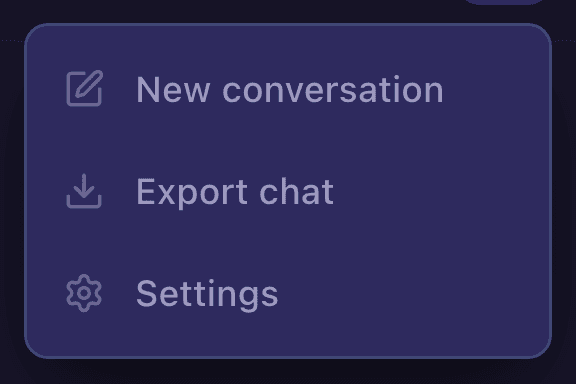
The More actions menu in the Signac header, where you start a new chat.
Exporting a chat
From the same menu, Export chat lets you take the conversation with you: Copy as Markdown to paste straight into a bug report, or Download as JSON for the conversation text and timestamps.
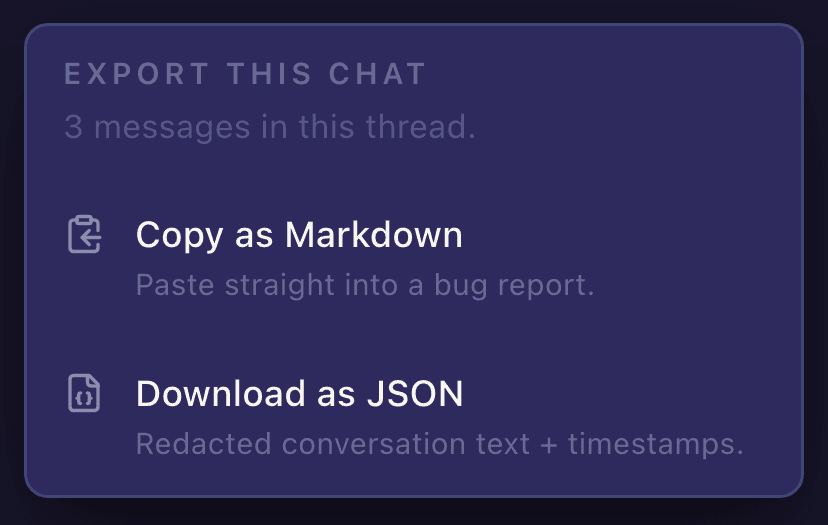
Export a Signac chat as Markdown or JSON.
Deep strategy analysis
Ask Signac to review your strategy and it can run a focused, one-shot analysis with a stronger model, then answer with a structured read on the whole strategy rather than a quick reply. This is a written analysis in the chat, not a node on the canvas. It covers:
- the thesis and the evidence for it
- the bull case and the bear case
- the risks
- the caveats behind any backtest
- concrete improvement options
- the conditions that would invalidate the idea
- a Strategy Quality Rubric
- what the platform or the metrics cannot yet tell you
You can narrow it. Point the analysis at one concern, such as “focus on the exit conditions” or “focus on overall risk,” and Signac trains it there instead of covering everything at once.
This is the qualitative counterpart to the Backtesting Suite, and it is a separate thing from it. The analysis argues the case in words and reads whatever Suite evidence already exists. The Suite computes the numbers and pins them to the canvas as an Evidence Card. Ask Signac to backtest, or say “run the Backtesting Suite,” and it runs the Suite instead of writing an analysis.
Evidence Cards
Every Backtesting Suite run places an Evidence Card node on the canvas, whether you started it from the toolbar or Signac started it for you: a record of exactly what was computed, on exactly the canvas it reviewed. The card carries the headline numbers (return, win rate, max drawdown), the equity curve, and a set of evidence routes you can open, covering the replay itself, data quality, perp realism, parameter sensitivity, out-of-sample results, and the assumptions behind the run.
The card ties Signac’s claims to evidence:
- Claims cite cards. When Signac says something about your strategy’s performance, it points to the Evidence Card that backs it, so you can open the card and check.
- Stale cards are flagged. If you change the canvas after a review, the card marks itself stale, because the evidence no longer describes the strategy in front of you. From there you can restore the reviewed canvas or have Signac review the current one.
- No improvement without proof. Signac will not call a change an improvement until a validated backtest stands behind it. Until then, a plausible-sounding tweak is only a hypothesis.
Each card has an Ask Signac action that opens the chat with that card loaded, so you can ask what a number means or why a route flagged a warning.
Usage
Signac usage is metered. The usage badge shows how much you have left as a percentage and when it resets, and it switches to a warning before you run out. If you do hit the limit, Signac tells you in the chat. Heavy back-and-forth and web searches use more than a quick question.
Staying in control
AI can speed up building, but the strategy is always yours. Read what Signac produces before you deploy it. Open the Indicator and Order nodes it touched, confirm the conditions and sizes match what you intended, and backtest the result. The canvas shows you exactly what will run, whether you built it by hand or with help.
Treat what Signac builds as a draft. Inspect every Indicator condition and Order size yourself, and backtest, before you take it live.
What Signac never needs from you
Signac never asks for a seed phrase, a main wallet private key, a raw Hyperliquid agent key, or production secrets. If any conversation ever does, treat it as a red flag and stop. See Data Visibility for the full list of what to keep out of the chat.