Cancel or Stop a Strategy
You can stop a running strategy at any time from the strategy dashboard. This page covers how stopping works and what to expect, including what happens to any open positions.
Stop a strategy
Find the strategy
Open the strategy dashboard and find the strategy you want to stop.
Select Stop
Use the stop control on the strategy. On the canvas toolbar of a deployed strategy it is the Stop button, and on the dashboard it is the cancel action on the strategy’s row.
Confirm
The Stop this strategy? prompt opens. Confirm the action there.
Synchronicity processes the stop. Once confirmed, the strategy stops advancing through its flow. While the teardown is in flight its state reads Ending, and once the teardown finishes it reads Ended. On the dashboard, ended strategies are grouped under the status filter labeled Ended.
The underlying API still calls this status cancelling and cancelled, and a few surfaces still use the word “cancel” for the action. The state you are shown is Ending and then Ended. Order and action statuses are separate: an order sent to the exchange really is cancelled, and keeps saying so.
What happens when you stop it
Stopping a strategy ends the flow. The engine cancels the strategy’s active actions and open orders, then asks you what to do with any open strategy positions. You choose from three options: Close positions (close orders are sent to the exchange and the position is traded down to zero), Mark as closed (closed in the strategy engine ledger only, so the exposure becomes yours to manage), or Leave position open (the strategy position stays open and tracked). For the full breakdown of what each option does, see Strategy Positions.
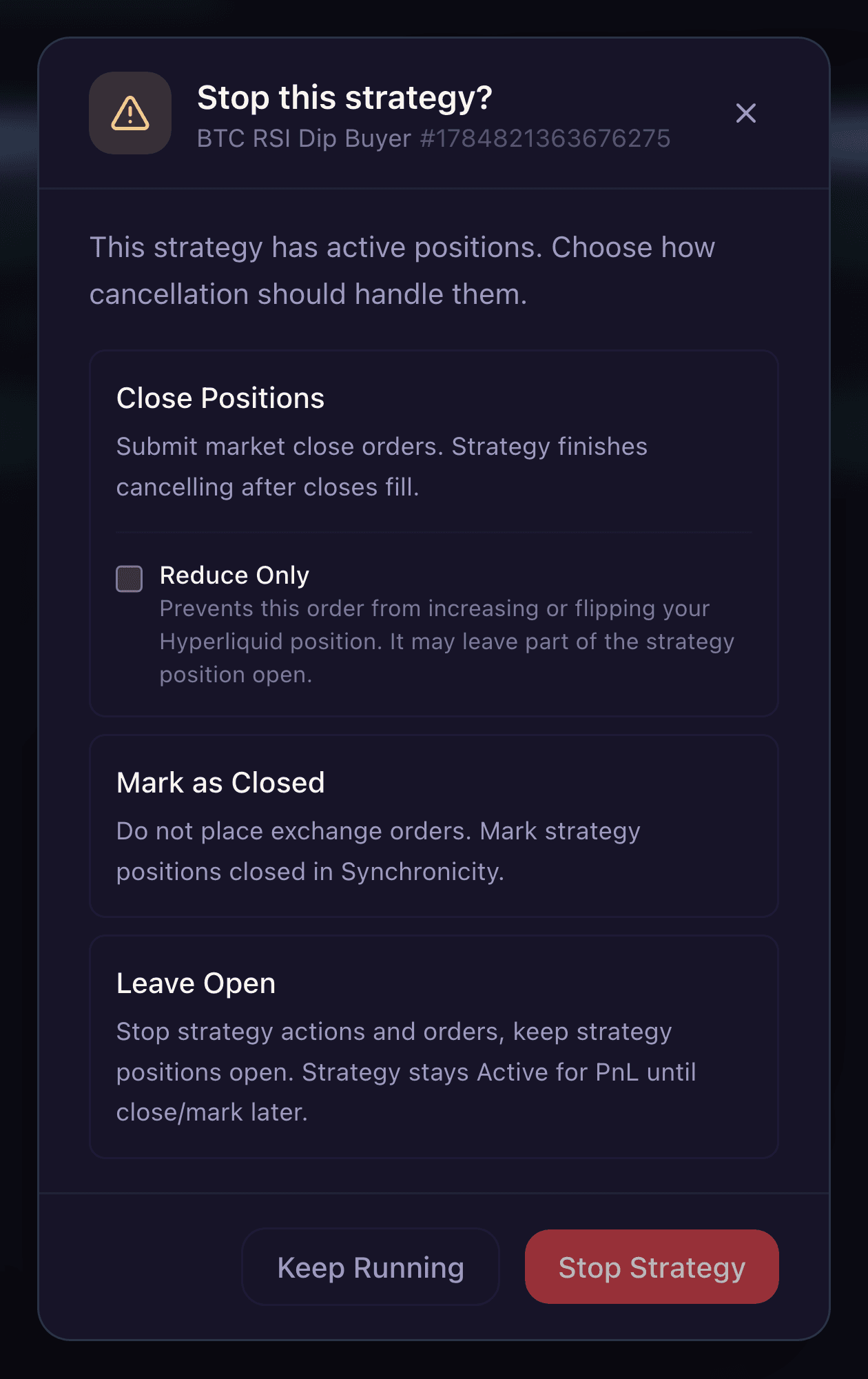
The prompt when you stop a strategy that still holds a position: close it, mark it closed, or leave it open.
Choosing Mark as closed or Leave position open keeps the exposure on your account. You stay in the market with real funds, including liquidation on a leveraged position, and managing that exposure is on you. Only Close positions sends orders to the exchange to trade the position down.
If your strategy has a pending limit order when you stop it, that order may still fill if it was already submitted before the stop processed. Check your open orders on Hyperliquid afterwards.
Done versus Ended
A strategy that reaches the end of its flow and finishes successfully shows as DONE rather than Ended. Ending only applies when you stop a strategy before it finishes. A strategy where a node could not complete shows as Failed instead.
After it ends
An ended strategy cannot be restarted. To run the same logic again, load it from the dashboard, make any changes you need, and deploy it as a new instance.
Completed and ended strategies stay in your dashboard history. You can open them in read-only canvas view to review what happened. The Overview tab records Opened, Closed, and Ran for, so the run has a start and a finish you can reconcile against your fills.