Connect to Hyperliquid
The Strategy Builder runs your strategies on Hyperliquid, the exchange where the orders are actually placed. Synchronicity is live on Hyperliquid mainnet, so a deployed strategy trades real funds with real risk. Before you can deploy anything, you link your own Hyperliquid account and grant Synchronicity permission to trade it. This page walks the link from a fresh wallet to a connected account that is ready to deploy. If you want to practice first with no funds at risk, a separate testnet environment exists for that. See Practice on Testnet.
Before you start
You need one thing to begin: a supported wallet. Synchronicity supports MetaMask and Rabby, or you can sign in with email to use an embedded wallet (via Privy). You sign in and authorize trading with it, and Synchronicity never holds your funds. You fund your own account with real USDC through the Deposit / Withdraw panel next to your balance, from inside the app: deposits bring USDC in over Arbitrum, and withdrawals are signed in your own wallet and settle to your own address.
Synchronicity is live on Hyperliquid mainnet. Every order, position, and liquidation a deployed strategy creates uses real funds and settles on Hyperliquid mainnet, so the money at risk is real. The mechanics of leverage and liquidation are unforgiving with real funds, so understand them before you deploy. Read Leverage, Margin, and Liquidation.
Connect your wallet and choose your account
Go to app.synchronicity.xyz and click Connect account. Choose how you sign in: connect MetaMask or Rabby, or enter your email to use a wallet Synchronicity creates for you.
The first time you connect, you sign a message that proves the wallet is yours. This is only a signature: it costs nothing and moves no funds. You also pick how long the session stays authenticated, from 1 hour up to 3 days, before you sign in again.
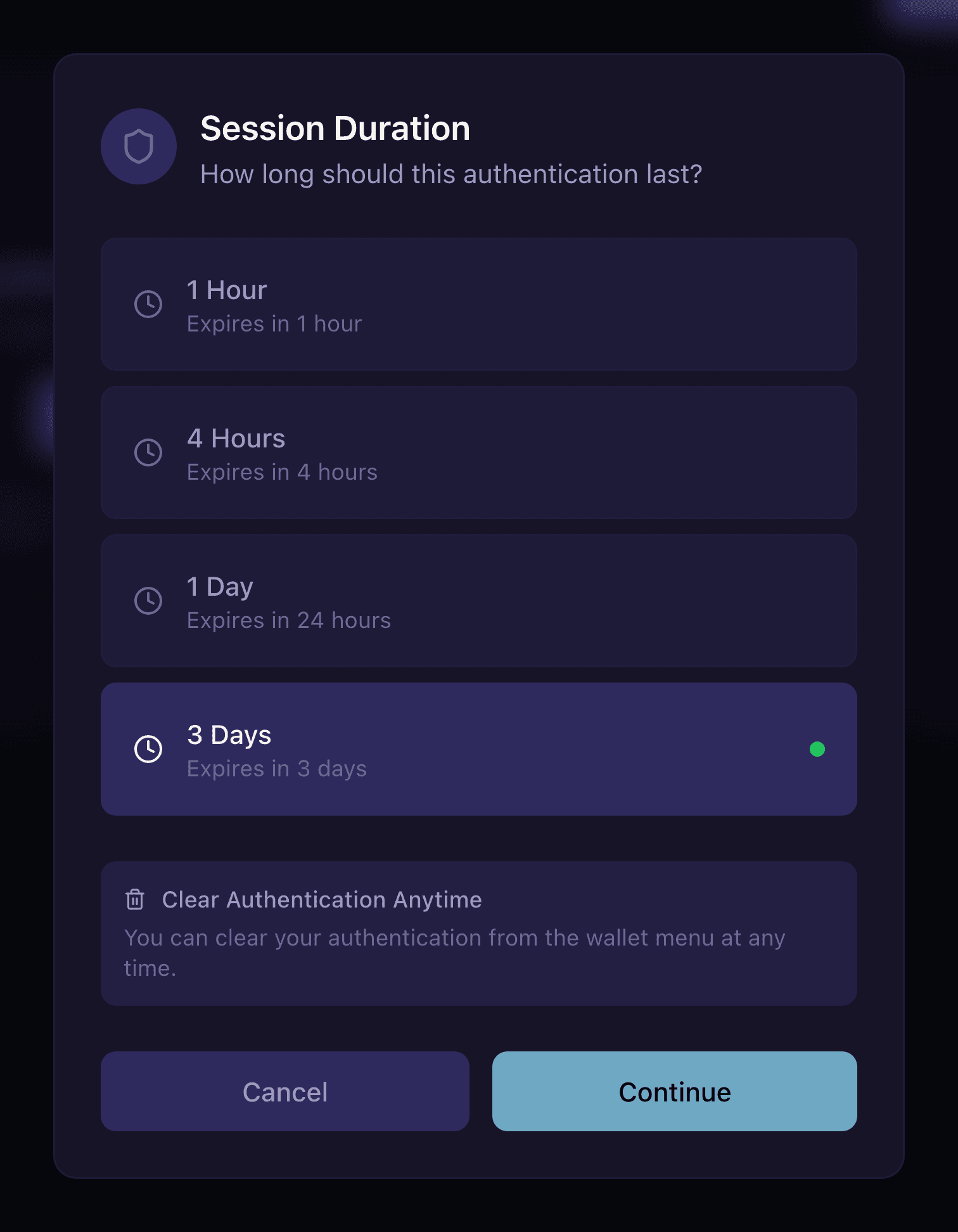
Choose how long the session stays signed in, from 1 hour to 3 days.
You then make a one-time account choice:
- Keep your current Synchronicity account. Continue with your existing address. Hyperliquid supports every wallet Synchronicity supported before.
- Migrate to another wallet. Move your activity and referrals to a different address. Choose this to use an existing Hyperliquid account, or a fresh wallet, without losing your progress.
Signing in and choosing your account does not yet authorize any trading on Hyperliquid. Approval is a separate step further down, and the separation is deliberate.
Fund your account
Fund your Hyperliquid account with USDC from the Deposit / Withdraw panel next to your balance. Deposits bring USDC in over Arbitrum, and withdrawals are signed in your own wallet and settle to your own address. See the Hyperliquid documentation for more on funding an account.
Depositing needs access. Submitting a deposit from a wallet that has not been admitted opens the waitlist prompt instead of the transaction, the same as deploying or trading would. Getting Access covers how admission works.
Link and approve your Hyperliquid account
With your wallet connected, you authorize Synchronicity to trade your Hyperliquid account. Open the Hyperliquid connection flow and click Connect Hyperliquid. There are two approvals, each a signature from your wallet.
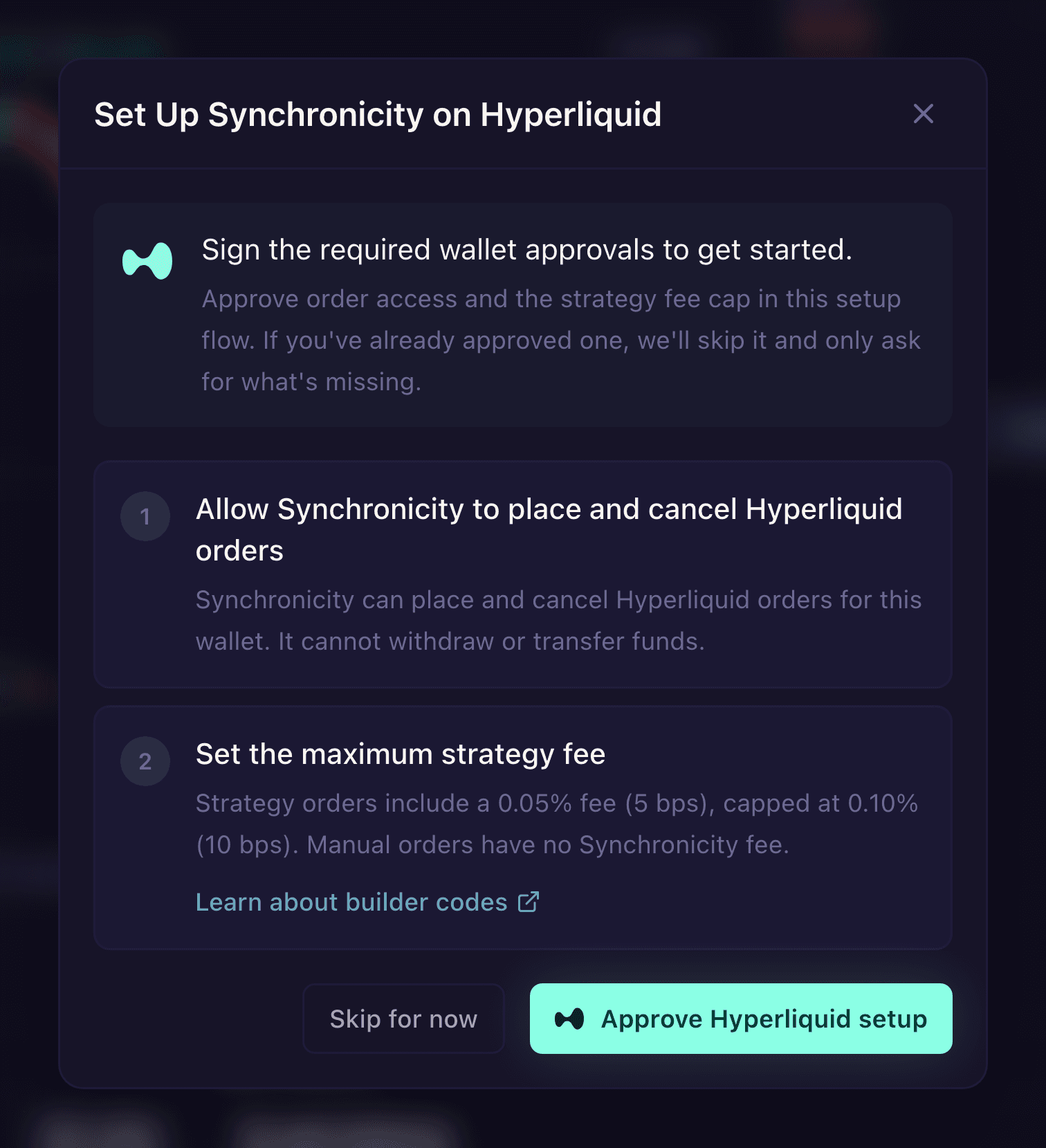
The Hyperliquid setup: approve the trading agent, then the builder-code cap.
- Approve the trading agent. Synchronicity uses an agent wallet: a dedicated key that acts on your Hyperliquid account on your behalf, and approving it is what lets a deployed strategy trade. Hyperliquid’s agent approval is broad and matches the access other Hyperliquid interfaces use: once approved, the agent can do anything you can on the account except withdraw your funds. The agent key itself stays encrypted on Synchronicity’s backend and is never shared with your browser. See Custody of Funds for the full picture of what stays with you, what this approval covers, and how to revoke it.
- Approve the builder code. Hyperliquid builder codes let an interface attach a small, capped fee to the orders it submits. You sign a one-time approval for Synchronicity’s builder-code cap of 10 basis points. The cap is only the ceiling you authorize, and nothing is charged up front. See Trading Fees for how this builder fee stacks with the exchange’s own trading fee.
The approvals are signed on the Hyperliquid network, so your wallet needs to be on it. If it is on a different network, the flow prompts you to switch before it can sign. Approve both, and the connection completes.
An approval only grants permission. Signing the agent and builder-code approvals authorizes Synchronicity to place orders from your account. It never moves your funds off Hyperliquid or out of your control. You can revoke the agent approval at any time, which stops future Synchronicity orders on that account. See Custody of Funds for how revocation works.
Confirm you are ready
You are ready to deploy when three things are true.
- Your wallet shows as connected in the app.
- Your Hyperliquid status reads Approved, with the agent and builder code both signed.
- Your Hyperliquid balance shows in the app and on the Order node, so a strategy has funds to trade.
Your strategy trades real funds from the very first order. Watch how it behaves on live fills and learn what each leverage and size choice does before you commit size. Start small, or rehearse the whole flow on testnet first, where nothing is at risk. See Practice on Testnet.
Disconnecting your wallet
To sign out, open the account dropdown next to your balance and choose Disconnect. This ends the session in the app. It does not revoke the Hyperliquid agent, so to stop a deployed strategy from trading your account you revoke the agent approval separately. See Custody of Funds for how revocation works.
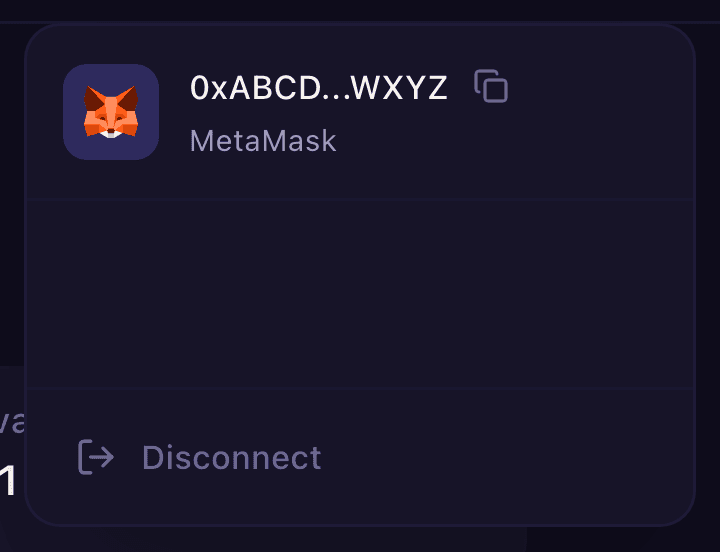
Disconnect from the account dropdown to end the session in the app.